Anritsu ME7840A Especificações
Consulte online ou descarregue Especificações para Amplificadores áudio Anritsu ME7840A. Anritsu ME7840A Specifications Manual do Utilizador
- Página / 470
- Índice
- MARCADORES

- OPERATION MANUAL 3
- TIP TO GET STARTED QUICKLY 3
- Safety Symbols 7
- For Safety 8
- Static Safety 10
- Narrative Table of Contents 11
- Table of Contents 13
- Table of Contents (Continued) 14
- Chapter 1 19
- General Information 19
- EXTERNAL GENERAL 22
- INTERFACES INFORMATION 22
- GENERAL PRECISION 23
- INFORMATION COMPONENT KITS 23
- 1-8 PRECISION COMPONENT 24
- 1-10 PERFORMANCE 26
- 1-11 PREVENTIVE 27
- CONVENTIONS GENEERAL 28
- INFORMATION 28
- Chapter 2 29
- Installation 29
- 2-4 GPIB SETUP AND 32
- 2-5 SYSTEM GPIB 33
- 2-6 ETHERNET SETUP AND 33
- 2-7 EXTERNAL MONITOR 34
- 2-8 RACK MOUNT 34
- 2-9 PREPARATION FOR 35
- SERVICE INSTALLATION 36
- INSTALLATION SERVICE 37
- Chapter 3 39
- Network Analyzers 39
- A Primer 39
- TERMINATION 42
- NETWORK ANALYZERS, NETWORK 43
- A PRIMER ANALYZERS 43
- NETWORK NETWORK ANALYZERS 44
- ANALYZERS A PRIMER 44
- MS462XX OM 3-7 45
- 3-8 MS462XX OM 46
- Chapter 4 51
- Front Panel Operation 51
- FRONT PANEL FRONT PANEL 54
- KEY DESCRIPTIONS OPERATION 54
- OPERATION KEY DESCRIPTIONS 55
- 4-3 SOFT-KEY MENUS 56
- FRONT PANEL APPL 57
- APPL FRONT PANEL 58
- MEAS FRONT PANEL 70
- FRONT PANEL MEAS 71
- DISPLAY FRONT PANEL 78
- FRONT PANEL DISPLAY 79
- MARKER FRONT PANEL 100
- KEY MENUS OPERATION 100
- FRONT PANEL MARKER 101
- OPERATION KEY MENUS 101
- FREQ FRONT PANEL 112
- FRONT PANEL FREQ 113
- FRONT PANEL SWEEP 115
- SWEEP FRONT PANEL 116
- POWER FRONT PANEL 120
- FRONT PANEL POWER 121
- FRONT PANEL CONFIG 127
- CONFIG FRONT PANEL 128
- 4-15 START PRINT KEY 137
- UTILITY FRONT PANEL 138
- FRONT PANEL UTILITY 139
- 4-17 HARD COPY KEY 158
- FRONT PANEL HARD COPY 159
- HARD COPY FRONT PANEL 160
- FRONT PANEL DEFAULT 165
- 4-19 SAVE/RECALL KEY 166
- FRONT PANEL SAVE/RECALL 167
- SAVE/RECALL FRONT PANEL 168
- FRONT PANEL SEQ 171
- SEQ FRONT PANEL 172
- FRONT PANEL CAL 179
- CAL FRONT PANEL 180
- AVG FRONT PANEL 232
- FRONT PANEL AVG 233
- Place template here 234
- Function Keys 234
- Chapter 5 235
- Error and Status 235
- Messages 235
- ERROR ERROR AND STATUS 238
- MESSAGES MESSAGES 238
- ERROR AND STATUS ERROR 239
- Chapter 6 249
- Data Displays 249
- 6-2 DISPLAY MODES AND 251
- DISPLAY MODES DATA 252
- AND TYPES DISPLAYS 252
- DATA DISPLAY MODES 253
- DISPLAYS AND TYPES 253
- FREQUENCY DATA 260
- MARKERS DISPLAYS 260
- DATA LIMITS 261
- DISPLAYS 261
- DATA DISPLAY DATA 262
- CONTROLS DISPLAYS 262
- DATA DATA DISPLAY 263
- DISPLAYS CONTROLS 263
- 6-6 DATA DISPLAY 264
- DATA HARD COPY 265
- DISPLAYS AND DISK OUTPUT 265
- 6-7 HARD COPY AND DISK 266
- HARD COPY DATA 268
- AND DISK OUTPUT DISPLAYS 268
- Chapter 7 271
- Measurement Calibration 271
- DISCUSSION CALIBRATION 274
- CALIBRATION DISCUSSION 275
- 7-4 MEASUREMENT 283
- 7-14 MS462XX OM 284
- MS462XX OM 7-15 285
- 7-16 MS462XX OM 286
- MS462XX OM 7-17 287
- 7-18 MS462XX OM 288
- MEASUREMENT STANDARD 2-PORT 289
- CALIBRATION (OSL) CALIBRATION 289
- STANDARD 2-PORT MEASUREMENT 290
- (OSL) CALIBRATION CALIBRATION 290
- 7-6 TRANSMISSION AND 293
- 7-24 MS462XX OM 294
- MS462XX OM 7-25 295
- 7-7 FOUR-PORT 296
- 7-8 LRL/LRM CALIBRATION 297
- LRL/LRM MEASUREMENT 298
- CALIBRATION CALIBRATION 298
- MEASUREMENT LRL/LRM 299
- 7-10 BALANCED 304
- 7-11 FLEXIBLE 304
- 7-9 TRM CALIBRATION 304
- Chapter 8 309
- Time Domain 309
- TIME DOMAIN TIME 312
- MEASUREMENTS DOMAIN 312
- TIME TIME DOMAIN 313
- DOMAIN MEASUREMENTS 313
- 8-3 OPERATING TIME 316
- TIME OPERATING 317
- DOMAIN TIME DOMAIN 317
- OPERATING TIME 318
- TIME DOMAIN DOMAIN 318
- WINDOWING TIME 320
- TIME GATING 321
- GATING TIME 322
- Chapter 9 323
- Power Supply 324
- AutoCal Module 324
- Calibration Coefficients 324
- 9-3 CALIBRATIONS 326
- AUTOCAL DEFINITIONS 327
- PHYSICAL SETUP AUTOCAL 328
- 9-6 CHARACTERIZATION 329
- 9-7 USING AUTOCAL 329
- USING AUTOCAL AUTOCAL 330
- AUTOCAL USING AUTOCAL 331
- 9-8 4-PORT AUTOCAL 332
- AUTOCAL 4-PORT AUTOCAL 333
- 4-PORT AUTOCAL AUTOCAL 334
- 9-9 PIN DEPTH 338
- MS462XX OM 9-17/9-18 339
- Chapter 10 341
- Operational Checkout 341
- Procedures 341
- SELF OPERATIONAL CHECKOUT 344
- TEST PROCEDURES 344
- 10-5 MS462XA/B 345
- PARAMETERS TEST PROCEDURES 346
- PROCEDURES PARAMETERS TEST 347
- 10-6 MS462XA/B HIGH 350
- MS462XX OM 10-11 351
- 10-12 MS462XX OM 352
- MS462XX OM 10-13 353
- LEVEL NOISE TEST PROCEDURES 354
- PROCEDURES LEVEL NOISE TEST 355
- 10-16 MS462XX OM 356
- 10-7 MS462XC SYSTEM 357
- DYNAMIC RANGE TEST PROCEDURES 358
- PROCEDURES DYNAMIC RANGE TEST 359
- Chapter 11 361
- Calibration Kits 361
- KIT CALIBRATION 364
- CONTENTS KITS 364
- MS462XX OM 11-5 365
- MS462XX OM 11-7 367
- MS462XX OM 11-9 369
- 11-4 PRECAUTIONS FOR 370
- CALIBRATION PRECAUTIONS FOR 371
- KITS USING CONNECTORS 371
- 11-5 CLEANING 372
- W A T E R 373
- Appendix A 375
- Sequence Operation 375
- A-5 KEYS OPERATE 378
- SEQUENCE SEQUENCE 379
- OPERATIONS CREATION 379
- CREATION OPERATIONS 380
- OPERATIONS MODIFICATION 381
- A-8 SEQUENCE 382
- OPERATIONS EXECUTION 383
- A-10 DISPLAY MENU 384
- OPERATIONS REMOVAL 385
- A-14 MULTIPLE SEQUENCE 386
- A-15 SUB-SEQUENCE 387
- A-16 SUB-SEQUENCE 388
- SEQUENCE SUBSEQUENCE CALLING 389
- OPERATIONS BY LIMIT TESTING 389
- A-17 LOOP COUNTER 390
- MS462XX OM A-17 391
- A-18 TTL OUTPUT FOR 392
- A-19 TTL INPUT CONTROL 393
- A-20 BNC TTL OUTPUT 394
- SEQUENCE BNC TTL OUTPUT 395
- OPERATIONS CONTROL STATEMENT 395
- A-22 NESTING GOSUB 396
- SEQUENCE NESTING GOSUB 397
- OPERATIONS SEQUENCES 397
- A-23 OPERATOR 398
- SEQUENCE OPERATOR 399
- OPERATIONS MESSAGES 399
- A-24 DUMP A SEQUENCE 400
- A-25 SAVING A SEQUENCE 400
- Appendix B 401
- Rear Panel Connectors 401
- B-4 MS462XX OM 404
- REAR PANEL MS462XX REAR 405
- CONNECTORS PANEL 405
- MS462XX REAR REAR PANEL 406
- PANEL CONNECTORS 406
- Appendix C 415
- Performance 415
- Specifications 415
- Appendix D 417
- Soft-Key Menu Maps 417
- 10 MHz-6 GHz 418
- D-4 MS462XX OM 420
- MS462XX OM D-5 421
- D-6 MS462XX OM 422
- MS462XX OM D-7 423
- D-8 MS462XX OM 424
- MS462XX OM D-9 425
- D-10 MS462XX OM 426
- MS462XX OM D-11 427
- D-12 MS462XX OM 428
- MS462XX OM D-13 429
- D-14 MS462XX OM 430
- MS462XX OM D-15 431
- D-16 MS462XX OM 432
- MS462XX OM D-17 433
- D-18 MS462XX OM 434
- MS462XX OM D-19 435
- D-20 MS462XX OM 436
- MS462XX OM D-21 437
- D-22 MS462XX OM 438
- MS462XX OM D-23 439
- D-24 MS462XX OM 440
- MS462XX OM D-25 441
- D-26 MS462XX OM 442
- MS462XX OM D-27 443
- D-28 MS462XX OM 444
- MS462XX OM D-29 445
- D-30 MS462XX OM 446
- MS462XX OM D-31 447
- D-32 MS462XX OM 448
- MS462XX OM D-33 449
- D-34 MS462XX OM 450
- MS462XX OM D-35 451
- D-36 MS462XX OM 452
- MS462XX OM D-37 453
- D-38 MS462XX OM 454
- MS462XX OM D-39 455
- D-40 MS462XX OM 456
- MS462XX OM D-41 457
- D-42 MS462XX OM 458
- MS462XX OM D-43 459
- D-44 MS462XX OM 460
- MS462XX OM D-45 461
- D-46 MS462XX OM 462
- MS462XX OM D-47 463
- D-48 MS462XX OM 464
- Subject Index 465
- D SUBJECT INDEX 466
- SUBJECT INDEX G 467
- N SUBJECT INDEX 468
- SUBJECT INDEX R 469
- T SUBJECT INDEX 470
Resumo do Conteúdo
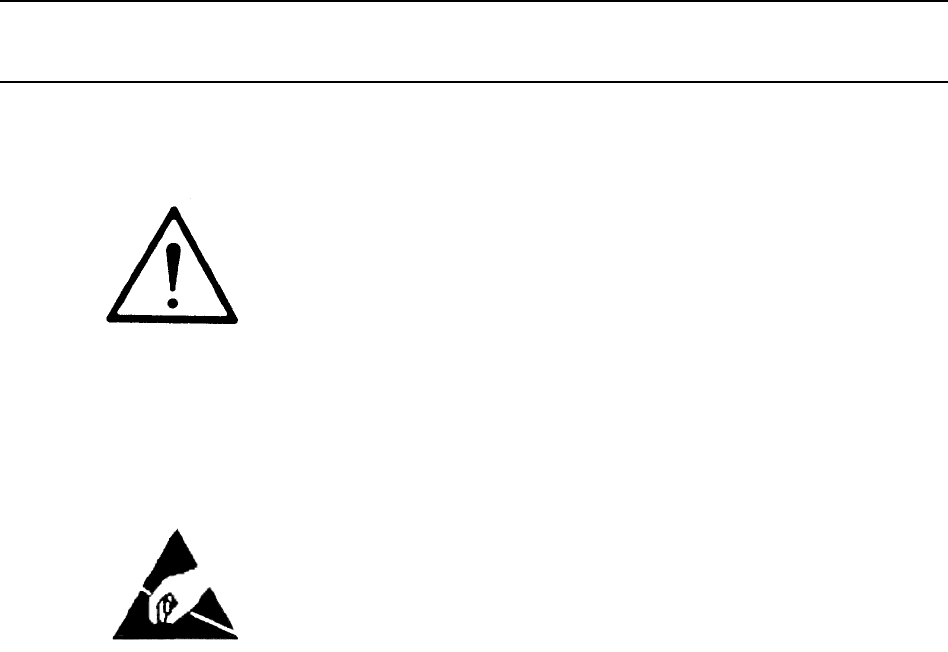
Do not exceed the operating input power level,voltage level, current level, and signal type that isappropriate for the instrument being used. Refer to
7. Handle PCBs only by their edges.Do not handle by the edge connectors.8. Lift & handle solid state devices bytheir bodies—never by their leads.9
4-7 MARKER KEY MENUS This key provides entry to marker functions.Menu Name Function Description GPIB MnemonicALL DISPLAYEDCHANNELSACTIVE MARKER XX Sel
Menu Name Function Description GPIB MnemonicALL DISPLAYEDCHANNELS(Power Sweep)ACTIVE MARKER XX Selects the active marker on all channelsMARKER TO PEAK
Menu Name Function Description GPIB MnemonicCHx-SXXREFERENCEPLANE X.XXXXmm(Power Sweep)SELECT DREF XX Selects the reference marker (1-12)DREF FREQXXX.
Menu Name Function Description GPIB MnemonicCHx-SXXREFERENCEPLANE X.XXXXmm(Power Sweep)SELECTDREF XXSelects the reference marker (1-12)DREF FREQXXX.XX
Menu Name Function Description GPIB MnemonicCHx-SXXREFERENCEPLANE X.XXXXmm(Power Sweep)SELECT∆REF XXSelects the reference marker (1-12)∆REF FREQXXX.XX
Menu Name Function Description GPIB MnemonicCHx-SXXREFERENCEPLANEX.XXXX mmREFERENCE PLANEX.XXXX mmDisplays the reference plane distance RDD?5: XXX.XXX
Menu Name Function Description GPIB MnemonicCHx-SXXREFERENCEPLANEX.XXXX mm 6REFERENCE PLANEX.XXXX mmDisplays the reference plane distance RDD?9: XXX.X
Menu Name Function Description GPIB MnemonicFILTER SETUPBANDWIDTH LOSSVALUE XX.XXX dBA loss is a positive number. A value of 0 to999.999 dB may be ent
Menu Name Function Description GPIB MnemonicMARKERS(Power Sweep)READOUTMARKERSChanges the soft-key display to one of theREADOUT MARKER menu.NoneMARKER
Menu Name Function Description GPIB MnemonicMARKERREADOUTFUNCTIONS(Power Sweep)MARKERS ONACTIVE CHANNELSelects normal markers on active channel marker
Narrative Table of ContentsChapter 1 — General InformationThis chapter provides a general description of the Anritsu Model MS462XX Vector Network Meas
Menu Name Function Description GPIB MnemonicSEARCHVALUE XX.XX dB Target search value. A value from -999.999 to999.999 dB may be entered.SRCH; SRCH?SET
Menu Name Function Description GPIB MnemonicSEARCH(X-AXIS)Y VALUEXX.XXX DBEnters the marker search Y-value. SRCH; SRCH?X VALUEXX.XXX DBMDisplays the m
4-8 FREQ KEY MENUS This key provides entry to frequency functions.Menu Name Function Description GPIB MnemonicDISCRETE FILLSTART FREQXXX.XXXXXXXX GHzE
Menu Name Function Description GPIB MnemonicFREQUENCY(In SegmentedSweep FrequencyMode)(MODELS WITHOPTION 24 ONLY)STARTXXX.XXXXXXXX MHZEnter the start
Menu Name Function Description GPIB MnemonicINDIVIDUALFREQ INSERTNEXT FREQUENCYXXX.XXXXXXXX GHzEnter the individual frequency, in GHz. DFQ; DFQ?INSERT
4-9 SWEEP KEY MENUS This key provides entry to frequency sweep functions.Menu Name Function Description GPIB MnemonicAPPLYSEGMENTEDSWEEP(MODELS WITHOP
Menu Name Function Description GPIB MnemonicDEFINESEGMENTEDSWEEP 2(MODELS WITHOPTION 24 ONLY)SEGMENT ON/OFF1Toggles the define sweep segment on or off
Menu Name Function Description GPIB MnemonicSEGMENTEDSWEEPDISCRETE FILL(MODELS WITHOPTION 24 ONLY)START FREQXXX.XXXXXXXX MHZEnters the discrete fill s
Menu Name Function Description GPIB MnemonicSEGMENTEDSWEEP LOG(MODELS WITHOPTION 24 ONLY)PRINT LOG Sends the segmented sweep log to a printer. PSGLOGS
Menu Name Function Description GPIB MnemonicTRIGGERSMEASUREMENT NoneINTERNAL Selects internal sweep trigger. TIN; TXX?EXTERNAL Selects external sweep
Chapter 11 — Calibration KitsThis chapter provides a description and listing of components for the calibration kits.Appendix A — Sequence OperationThi
4-10 POWER KEY MENUS This key provides entry to power functions.Menu Name Function Description GPIB MnemonicCLEAR ALLEXTD. RCVR(MODELS WITHOPTION 24)C
Menu Name Function Description GPIB MnemonicFLAT TEST PORTPOWERCALIBRATIONFLAT POWERCALIBRATIONNoneCALIBRATING TESTPORTNonePRESS <CLEAR> TOABORT
Menu Name Function Description GPIB MnemonicPOWER 2(Power Sweep)SELECT SOURCEXSelect source. PSRC; PSRC?CENTERXXX.XXXXXXXX dBmEnter the center power i
Menu Name Function Description GPIB MnemonicRECEIVERCALIBRATIONCONNECT ATHROUGH LINEBETWEEN TESTPORTSNoneRECEIVER TYPETEST/REFERENCE*Selects the recei
Menu Name Function Description GPIB MnemonicRECEIVERSETUPRECEIVER CAL Changes the soft-key display to the RECEIVERCALIBRATION menu.NoneRECEIVER TYPETE
Menu Name Function Description GPIB MnemonicSOURCE 1SETUPSOURCE 1 POWERXX.XX dBm(5 TO -15 dB)Enter and display the power level, in dBm, of theSource 1
Menu Name Function Description GPIB MnemonicSOURCE 4SETUPSOURCE 4 POWERXX.XX dBmSets external Source 4 power level. PW4; PW4?RETURN Returns to the pre
4-11 CONFIG KEY MENUS This key provides entry to configuration functions.Menu Name Function Description GPIB Mnemonic2 PORT DUTEMBEDDINGDE-EMBEDDINGSE
Menu Name Function Description GPIB Mnemonic(ADDON/MODIFY)ADDON/MODIFY Informational text NoneEMBEDDING/DE-EMBEDDINGLC CKT TYPECIRCUITTOPOLOGY(ADDON/M
Menu Name Function Description GPIB MnemonicDATA POINTS1601 MAX POINTS Selects measurement data points to be 1601. NP1601; FHI; ONP801 MAX POINTS Sele
Table of ContentsChapter 1 General Information1-1 SCOPE OF MANUAL ...1-31-2 INTRODUCTION ...
Menu Name Function Description GPIB MnemonicEMBEDDINGDE-EMBEDDINGLOG (PORT X)PRINT LOG Prints the embedding/de-embedding log. OEDELOGSAVE LOG TOFLOPPY
Menu Name Function Description GPIB MnemonicHOLDHOLD FUNCTIONHOLD/ Causes the hold key (button) to alternately stop andcontinue the sweep from the sto
Menu Name Function Description GPIB MnemonicLC CIRCUIT(ADDON/MODIFY)For 2-port device.SELECT LC CIRCUITTYPE (XXXX)Changes the soft-key display to the
Menu Name Function Description GPIB MnemonicNTWKEMBEDDINGDE-EMBEDDINGEMBEDDING/DE-EMBEDDINGON/OFFTurns EMBEDDING/DE-IMPEDDING On or Off. EDE0; EDE1; E
Menu Name Function Description GPIB MnemonicSAVE/RECALLSETUPSAVE SETUP ONHARD DISK Saves setup to hard drive. NoneFLOPPY DISK Saves setup to floppy dr
Menu Name Function Description GPIB MnemonicSOURCECONFIGURATIONSOURCE 1 Changes the soft-key display to the SOURCE 1CONFIGURATION menu.NoneSOURCE 2 Ch
Menu Name Function Description GPIB MnemonicT-LINE SECTION(ADDON/MODIFY)IMPEDANCEXXXXXXXXXXXXSets the impedance of the T-line section. EDEIMP; EDEIMP?
4-15 START PRINT KEYMENUSThis key provides entry to printer, plotter, or disk file functions.Menu Name Function Description GPIB MnemonicSELECT FILE T
4-16 UTILITY KEY MENUS This key provides entry to utility functions.Menu Name Function Description GPIB MnemonicAUTOCALASSURANCEPORT CONFIG(1X2A3B4C O
Menu Name Function Description GPIB MnemonicAUTOCALASSURANCELIMITS 2Displays with a 2-port AutoCal box.LOAD MATCHDC - 2 GHZ37.0 DB2-6 GHZ37.0 DBChange
2-9 PREPARATION FOR STORAGE AND/OR SHIPMENT...2-7Preparation for Storage ...2-7Preparation for Shipment ...
Menu Name Function Description GPIB MnemonicAUTOCALASSURANCELIMITSDisplays in MS4623X with a 4-port AutoCal box.DIRECTIVITYDC - 3 GHZ40.0 DB3-6GHZ35.0
Menu Name Function Description GPIB MnemonicAUTOCALASSURANCELIMITSDisplays in MS4624X with a 4-port AutoCal box.DIRECTIVITYDC - 3 GHZ40.0 DB3-6GHZ35.0
Menu Name Function Description GPIB MnemonicAUTOCALASSURANCEMANUALCONTROLSELECT BOX TYPE2 PORT/4 PORTToggles between AutoCal box types, 2 or 4-port. A
Menu Name Function Description GPIB MnemonicAUTOCAL CHAR-ACTERIZATIONDisplayed for a model MS4622X with a 4-port AutoCal.(1X2C)CONNECT AUTOCALPORT C T
Menu Name Function Description GPIB MnemonicCLOCK SETUPYEAR XXXX Sets the YEAR. DATE; DATE?MONTH XX Sets the MONTH. DATE; DATE?DAY XX Sets the DAY. DA
Menu Name Function Description GPIB MnemonicCOMMAND LINEABCDEFGHIJKLMNOPQRSTUVWXYZ0123456789()-!#$%’@^_’{}~*?:\.SPEnter a DOS command line using the r
Menu Name Function Description GPIB MnemonicFLOPPY DISKUTILITIESDISPLAY DIRECTORY Directory displays in the screen data area. DIRDELETE FILES Change t
Menu Name Function Description GPIB MnemonicH/WCALIBRATIONDISKOPERATIONSRECALL FROM HARDDISKChanges the soft-key display to the SELECT FILETO READ men
Menu Name Function Description GPIB MnemonicINSTRUMENTSTATEPARAMETERSSYSTEM Displays all of the system parameters. DGSCALIBRATION Displays the calibra
Menu Name Function Description GPIB MnemonicPERIPHERALTESTSLCD DISPLAY Provides a graphic display for evaluating screencolors and linearity.DGT1; DGT2
Chapter 5 Error and Status Messages5-1 INTRODUCTION ...5-35-2 ERROR MESSAGES...5-3Chapt
Menu Name Function Description GPIB MnemonicREAR PANEL TTLOUTPUT MODESELECT PORT None1 Selects Port 1. RVTP1; RVTPX?2 Selects Port 2. RVTP2; RVTPX?3 S
Menu Name Function Description GPIB MnemonicSELECT FILE TODELETEFILE 1 Selects FILE 1 data to be deleted. NoneFILE 2 Selects FILE 2 data to be deleted
Menu Name Function Description GPIB MnemonicTROUBLESHOOTING 2(SERVICE USEONLY)HET OSCILLATORVOLTAGESelects HET OSCILLATOR VOLTAGE. TSHETOSOURCE 1 Chan
Menu Name Function Description GPIB MnemonicTROUBLE-SHOOTINGEXTENDEDFLASH MEMORY!!!WARNING!!!THIS TEST TAKESABOUT 4 MINUTES ANDDESTROYS THEINSTRUMENT’
Menu Name Function Description GPIB MnemonicTROUBLESHOOTINGSOURCE 1DDS REFERENCECLOCK VOLTAGESelects DDS REFERENCE CLOCK VOLTAGE forSOURCE 1.TSDDSS1OF
Menu Name Function Description GPIB MnemonicTROUBLESHOOTING SRAMDISK!!!WARNING!!!THIS TEST DESTROYSTHE HARMONIC CALCOEFFICIENTS THEHARD DISK ISCORRUPT
Menu Name Function Description GPIB MnemonicTYPE OF FILESTO COPYFRONT PANEL SETUPAND CAL DATAChanges the soft-key display to the SELECT FILETO COPY me
Menu Name Function Description GPIB MnemonicUTILITYINSTRUMENT STATEPARAMETERSChanges the soft-key display to the INSTRUMENTSTATE PARAMETERS menu.NoneR
4-17 HARD COPY KEYMENUSThis key provides entry to hard copy functions.Menu Name Function Description GPIB MnemonicDISK FILEOPTIONSDESTINATION NoneHARD
Menu Name Function Description GPIB MnemonicM3P SETUPSELECTBALANCEDPORT PAIR(MODELS WITHOPTION 24)(1:2)/(2:1) Selects Ports 1:2 or 2:1 as the balanced
7-4 MEASUREMENT CALIBRATION—SLIDING TERMINATION ...7-137-5 STANDARD 2-PORT (OSL) CALIBRATION PROCEDURE ...7-197-6 TRANSMISSION AND REFL
Menu Name Function Description GPIB MnemonicM4P SETUPSELECT 2NDPAIR(1:2)/(2:1) Selects Ports 1:2 or 2:1 as the balanced port pair forthe M4P setup.M4P
Menu Name Function Description GPIB MnemonicOUTPUTHEADERS SETUP3DATE ON/OFF Toggles date on or off. LDT1; LDT0SEQ HELP MESSAGEON/OFFToggles the Sequen
Menu Name Function Description GPIB MnemonicPLOT SETUPFULL PLOT The plotter will plot everything displayed on thescreen (data traces, graticule, menu
Menu Name Function Description GPIB MnemonicPRINTER SETUPGRAPHICALDATAHEADER ON/OFF Toggles printing of header on or off. HD1; HD0; HDX?SCREEN AREA TO
Menu Name Function Description GPIB MnemonicSNP OPTIONSPORT 1 Select S1P format for Port 1. OS1P1PORT 2 Select S1P format for Port 2. OS1P2PORT 3 Sele
4-18 DEFAULT KEY MENUS This key provides entry to default functions.Menu Name Function Description GPIB MnemonicDEFAULTCONTINUE Erases current instrum
4-19 SAVE/RECALL KEYMENUSThis key provides entry to save and recall functions.Menu Name Function Description GPIB MnemonicRECALLFRONT PANEL SETUPIN IN
Menu Name Function Description GPIB MnemonicRECALL FRONTPANEL SETUPFROM INTERNALMEMORYMEMORY 1 * Causes the current front panel setup to be recalledfr
Menu Name Function Description GPIB MnemonicSAVELINEAR CAL NoneON HARD DISK Changes the soft-key display to the SELECT FILETO READ menu.SAVEON FLOPPY
Menu Name Function Description GPIB MnemonicSAVE FRONTPANEL SETUP TOINTERNALMEMORYMEMORY 7 * Same as above, except the setup saves to memorylocation 7
10-5 MS462XA/B NON-RATIO PARAMETERS TEST...10-510-6 MS462XA/B HIGH LEVEL NOISE TEST ...10-1010-7 MS462XC SYSTEM DYNAM
Menu Name Function Description GPIB MnemonicSELECT FILE-NAMEABCDEFGHIJKLMNOPQRSTUVWXYZ0123456789()-!#$%’@^_’{}~*?:\.SPName your filename using the rot
4-12 SEQ KEY MENUS This key provides entry to sequence functions.Menu Name Function Description GPIB MnemonicCONDITIONSTATEMENTIF LIMIT TEST PASS Chan
Menu Name Function Description GPIB MnemonicDELETESEQUENCESEQUENCE 1XXXXXRemove sequence 1 from SRAM. SEQDEL1SEQUENCE 2XXXXXRemoves sequence 2 from SR
Menu Name Function Description GPIB MnemonicENTER ASEQUENCEOPERATORMESSAGEor(ENTER ASEQUENCECOMMENT)(Message or comment) Display the message text. Non
Menu Name Function Description GPIB MnemonicGOSUBSEQUENCESEQUENCE 1XXXXXSelects sequence 1 to be called during sequenceexecution; the corresponding st
Menu Name Function Description GPIB MnemonicRENAMESEQUENCESEQUENCE 1XXXXXChanges the soft-key display to the RENAME ASEQUENCE menu.SEQNAM1; SEQNAM1?SE
Menu Name Function Description GPIB MnemonicSAVE SEQUENCESEQUENCE 1XXXXXSelects sequence 1 to save on hard/floppy disk; astatement is added to the seq
Menu Name Function Description GPIB MnemonicSELECT FILE TOREADFILE 1 SEQ Displays the data stored in file number 1. NoneFILE 2 SEQ Displays the data s
Menu Name Function Description GPIB MnemonicSEQUENCENAME(Name) Display the name. NoneABCDEFGHIJKLMNOPQRSTUVWXYZ0123456789()-!#$%&’@^_’{}-*?:\.SPNa
4-13 CAL KEY MENUS This key provides entry to calibration functions.Menu Name Function Description GPIB Mnemonic2 PORTCALIBRATION(MODELS WITHOPTION 24
A-18 TTL OUTPUT FOR CONTROLLING PERIPHERALS ...A-18A-19 TTL INPUT CONTROL STATEMENT ...A-19A-20 BNC TTL OUTPUT CONTROL
Menu Name Function Description GPIB Mnemonic3 PORTCALIBRATIONCONNECTCALIBRATION DEVICENoneSLIDE LOAD TOPOSITION xSlide the load to the indicated posit
Menu Name Function Description GPIB Mnemonic4 PORTCALIBRATION(SOLT/SOLR)CONNECT ARECIPROCALBETWEEN PORTX AND YWhen a 3 Port calibration is already com
Menu Name Function Description GPIB Mnemonic4 PORTCALIBRATIONCONNECTCALIBRATION DEVICENonePORT 3: OPENPORT 4: SHORTConnect specified open to Port 3 an
Menu Name Function Description GPIB Mnemonic4 PORTCONFIRMCALIBRATIONPARAMETERS(SOLT/SOLR)PORT 3 CONNXXXXXXXXXXDisplays the current connector type and
Menu Name Function Description GPIB Mnemonic4 PORTTHROUGHLINEOFFSET LENGTH(TRX)PORT 1, 3XXX mmEnter Port 1, 3 THROUGH offset length for 4 portcalibrat
Menu Name Function Description GPIB Mnemonic4 PORTSELECT TYPE OFLOADBROADBANDFIXED LOADSelects a broadband load for calibration and changessoft-key di
Menu Name Function Description GPIB MnemonicADAPTERREMOVAL12-TERM CAL X AND YMUST EXIST IN THECURRENT DIRECTORYNoneELECTRICAL LENGTHOF THE ADAPTERXXX.
Menu Name Function Description GPIB MnemonicAUTOCAL 4SELECT CALIBRATIONTYPENoneFULL 2 PORT Selects a traditional 2-portShort-Open-Load-Thru(SOLT) cali
Menu Name Function Description GPIB MnemonicAUTOCAL PORTCONFIGURATION(FULL 2 PORT CAL/2 PORT REFLEC-TION/ADAPTERREMOVAL)PORT CONFIG.1L2R/1R2LToggles b
Menu Name Function Description GPIB MnemonicAUTOCAL PORTCONFIGURATION(FULL 3 PORT CAL)SELECT VNA PORTFOR AUTOCAL PORT X1/2/3This menu displays for a 4
Table of Contents1-1 SCOPE OF MANUAL ...1-31-2 INTRODUCTION ...1-31-3 SERIAL NUMBER...
Menu Name Function Description GPIB MnemonicAUTOCAL PORTCONFIGURATION(FULL 4 PORT CAL)SELECT VNA PORTFOR AUTOCAL PORT X1/2/3/4This menu displays for a
Menu Name Function Description GPIB MnemonicAUTOCAL SETUP(FULL 4 PORT CAL)PORT CONFIG.(1X2A3B4C)Displays only if connected to a 4-port AutoCal box.Cha
Menu Name Function Description GPIB MnemonicAUTOCAL SETUP(ADAPTERREMOVAL)PORT CONFIG.(1X2A)Displays if selected box type is a 4-port AutoCal.Changes t
Menu Name Function Description GPIB MnemonicBEGIN 2 PORTCALIBRATION(12-TERMS)KEEP EXISTING CALDATAChanges the soft-key display to the FREQUENCYmenu.KE
Menu Name Function Description GPIB MnemonicCAL FREQ RANGESTARTXXX.XXXXXXXXXGHzEnter the sweep-start frequency for calibration. Ifdesired; frequency c
Menu Name Function Description GPIB MnemonicCALIBRATIONCOMPONENTUTILITIESINSTALL KIT INFOFROM FLOPPY DISKInstalls the information from the calibration
Menu Name Function Description GPIB MnemonicCALIBRATIONSEQUENCE2CONNECT THERECIPROCALXXXXXX mmBETWEENTEST PORTSNoneMEASURE FORWARD((NO) CAL EXISTS)Mea
Menu Name Function Description GPIB MnemonicCHANGE CALMETHOD AND LINETYPECAL METHOD NoneSTANDARD(NOT USED FORWAVEGUIDE)or with Option 24:SOLT/SOLR(NOT
Menu Name Function Description GPIB MnemonicCHANGE LRL/LRMPARAMETERS2CHARACTERIZECAL DEVICESNoneDEVICE 1LINE 1 (REF)X.XXXX mmEnter length of line 1. L
Menu Name Function Description GPIB MnemonicCHANGEPARAMETERS2CHARACTERIZECAL DEVICESNoneDEVICE 1 P3-P1LINE LENGTHX.XX mmSets device 1 line length. LL1
Figure 1-1. Model MS462XX Vector Network Measurement System
Menu Name Function Description GPIB MnemonicCONFIRMCALIBRATIONPARAMETERS2(STANDARDMICROSTRIP)PORT 1OPEN/SHORTChanges the soft-key display to the PORT
Menu Name Function Description GPIB MnemonicCONFIRMCALIBRATIONPARAMETERS4(OPEN SHORTMICROSTRIP)OFFSET LENGTHSOF SHORTSChanges the soft-key display to
Menu Name Function Description GPIB MnemonicCONFIRMCALIBRATIONPARAMETERS7(LRL/LRMMICROSTRIP)LRL/LRM PARAMETERS Changes the soft-key display to the CHA
Menu Name Function Description GPIB MnemonicCUSTOMIZE CAL(FULL 2 PORT CAL)SET ALL ON Toggles all S-parameter selections on. FXSONSET ALL OFF Toggles a
Menu Name Function Description GPIB MnemonicCUSTOMIZE CAL 2(FULL 4 PORT CAL)S13, TRANS ON/OFF Toggles the S13 selection on or off. FXS13T0;FXS13T1; FX
Menu Name Function Description GPIB MnemonicDATA POINTS1601 MAX POINTS Provides 1601 data points across selected frequencyrange.FHI; NP1601; ONP801 MA
Menu Name Function Description GPIB MnemonicDISPLAYINSTALLED TESTPORT CONNECTORINFO 2GPC - 3.5 (M) Displays coefficient data for the GPC-3.5 malecompo
Menu Name Function Description GPIB MnemonicDISPLAYINSTALLED TESTPORT CONNECTORINFO 5SPECIAL (M) Displays coefficient data for the SPECIAL connectorma
Menu Name Function Description GPIB MnemonicENTER THETHROUGH LINEPARAMETERSOFFSET LENGTHXX.XX mmEnter offset length of throughline device. TOL; TOL?TH
Menu Name Function Description GPIB MnemonicFULL TERM CAL(FULL -PORT CAL)PORT 1 ONPORT 2 ONDisplayed when a 12-term cal exists.Toggles port 1 selectio
Chapter 1General Information1-1 SCOPE OF MANUAL This manual provides general information, installation, and operatinginformation for the MS4622, MS462
Menu Name Function Description GPIB MnemonicGAINCOMPRESSIONCALIBRATIONCALIBRATE FORFLATNESS((NO) CAL EXISTS)Changes the soft-key display to the SOURCE
Menu Name Function Description GPIB MnemonicHARMONICENHANCEMENTCALIBRATIONCONNECT ATHROUGHLINEBETWEEN TESTPORTSNoneABORT CAL Changes the soft-key disp
Menu Name Function Description GPIB MnemonicHARMONIC PHASECALIBRATIONCONNECT STANDARDEXTERNAL DEVICEBETWEEN TESTPORTSNoneABORT CAL Changes the soft-ke
Menu Name Function Description GPIB MnemonicIMDCALIBRATION 2CONNECT ATHROUGHLINEBETWEEN SOURCEPORT AND RECEIVERPORT (PORT 2)NoneABORT CAL Aborts the c
Menu Name Function Description GPIB MnemonicNETWORKEXTRACTIONTHE ‘OUTER’ AND‘INNER’ CALIBRATIONFILES MUST EXIST INTHE CURRENTDIRECTORYGENERATE S2P FIL
Menu Name Function Description GPIB MnemonicNOISE FIGURECALIBRATION3RESTARTMEASUREMENTChanges the soft-key display to the NOISE FIGURECALIBRATION 2 me
Menu Name Function Description GPIB MnemonicPORT XOPEN DEVICEENTER THECAPACITANCECOEFFICIENTSNoneTERM 1-C0P/MXXX.XXe-15Enter the term 1 coefficient va
Menu Name Function Description GPIB MnemonicRECEIVERCALIBRATION(SWEPT POWER/FREQUENCY GAINCOMPRESSIONAPPLICATIONS)CONNECT A THROUGHLINE BETWEEN TESTPO
Menu Name Function Description GPIB MnemonicSELECT1 PATH 2 PORTCALIBRATIONTYPEFORWARD PATH(S11, S21)Corrects the forward transmission and reflection e
Menu Name Function Description GPIB MnemonicSELECT DEVICETYPE(4 PORT CAL WITHEXISTING 3 PORTCAL)1,4 DEVICE TYPETHRU/RECIPROCALSelect the device type f
1-6 SYSTEM DESCRIPTION The MS462XX Vector Network Measurement System (VNMS)(Figure 1-1) is a single-instrument system that contains a built-insource,
Menu Name Function Description GPIB MnemonicSELECT DEVICETYPE(4 PORT CALWITHOUT EXISTING3 PORT CAL)1,3 DEVICE TYPETHRU/RECIPROCALSelect the device typ
Menu Name Function Description GPIB MnemonicSELECT DEVICETYPE(4 PORT CALWITHOUT EXISTING3 PORT CAL)2,4 DEVICE TYPETHRU/RECIPROCALSelect the device typ
Menu Name Function Description GPIB MnemonicSELECT PORT XCONNECTORTYPE3TNC (M) Sets port x to be male TNC connector. CMC; P1C?; P2C?TNC (F) Sets port
Menu Name Function Description GPIB MnemonicSELECTTRANSMISSIONFREQ RESPONSECALIBRATIONTYPEFORWARD PATH (S21) Changes the soft-key display to the SELEC
Menu Name Function Description GPIB MnemonicSOURCE 1 FLATTEST PORTPOWERCALIBRATIONXXXX POINTSMEASURE 1 PWRPOINT EVERY XXPOINT(S)Displays the number of
Menu Name Function Description GPIB MnemonicTHRUASSIGNMENT(FULL 3 PORT CAL)THRU (1-2)*AUTOCAL/THRULINE LENGTH0.000 mmSelect thru type for port 1-2. En
Menu Name Function Description GPIB MnemonicTHRUASSIGNMENT2(FULL 4 PORT CAL)THRU (2-3)*OMIT/THRULINE LENGTH0.000 mmSelect whether to omit the thru or
Menu Name Function Description GPIB MnemonicTHRU UPDATE(FULL 3 PORT CAL)THRU (1-2)LINE LENGTH0.000 mmSet the line length offset for the true thru betw
Menu Name Function Description GPIB MnemonicTHRU UPDATE 2(FULL 4 PORT CAL)THRU (2-3)OMIT/THRULINE LENGTH0.000 mmSelect whether to omit the thru or sel
Menu Name Function Description GPIB MnemonicTHRU/RECIPROCALPARAMETERS(3 PORTCALIBRATIONWITH OPTION 24)MEASURE PORT 1,3?OMIT/INCLUDESelect whether to i
NOTESThe MS462XC VNMS- Direct Receiver Access versioncannot make system measurements without an externaltest set that couples power into the reference
Menu Name Function Description GPIB MnemonicTHRU/RECIPROCALPARAMETERS(4 PORT CAL WITH3 PORT CAL)MEASURE PORT 1,3?OMIT/INCLUDESelect whether to include
Menu Name Function Description GPIB MnemonicTRANSMISSIONAND REFLECTIONCALIBRATIONDisplayed for MS4624X modelsAPPLY CAL2-PORT(CAL EXISTS)Selects a 2-po
4-14 AVG KEY MENUS This key provides entry to averaging and IF bandwidth functions.Menu Name Function Description GPIB MnemonicAVERAGE 1AVERAGE ON/OFF
Menu Name Function Description GPIB MnemonicAVERAGE 3Displays in the Transmission/Reflection Calibration Mode Only.AVERAGE ON/OFF Toggles the averagin
4-184 MS462XX OMFUNCTION KEYS FRONT PANELTEMPLATE KEY DESCRIPTIONSCtrlAltShiftCtrlAltShiftCh 1 Ch 2 Ch 3 Ch 4Freq SweepPower ConfigSoftkey 1 Softkey 2
Table of Contents5-1 INTRODUCTION ...5-35-2 ERROR MESSAGES...5-3Chapter 5Error and Stat
Chapter 5Error and StatusMessages5-1 INTRODUCTION This chapter lists, describes, and provides corrective action for theerror messages that appear on t
ERROR ERROR AND STATUSMESSAGES MESSAGES5-4 MS462XX OMCode Message Description Corrective ActionLANC BCMP ERROR LANC controller test fail Contact facto
ERROR AND STATUS ERRORMESSAGES MESSAGESMS462XX OM 5-5Code Message Description Corrective ActionSCSI FIFO DMA PARITY BIT ERROR Hard drive controller te
1-8 PRECISION COMPONENTKITSTwo types of precision-component kits are available: calibration andverification. Calibration kits contain components used
ERROR ERROR AND STATUSMESSAGES MESSAGES5-6 MS462XX OMCode Message Description Corrective ActionSKT INVALID DESCRIPTOR Socket has been removedSKT INCOM
ERROR AND STATUS ERRORMESSAGES MESSAGESMS462XX OM 5-7Code Message Description Corrective ActionTOO HIGH TEMP CHANGE Temperature is too high tochange t
ERROR ERROR AND STATUSMESSAGES MESSAGES5-8 MS462XX OMCode Message Description Corrective ActionPOWER RESTORED TO CAL RANGE Power restored is within ca
ERROR AND STATUS ERRORMESSAGES MESSAGESMS462XX OM 5-9Code Message Description Corrective ActionSource Error Codes6129 EXT SRC ERROR6130 EXT SRC LIST E
ERROR ERROR AND STATUSMESSAGES MESSAGES5-10 MS462XX OMCode Message Description Corrective Action7100 FILE MARKED READ ONLY Can't perform a write
ERROR AND STATUS ERRORMESSAGES MESSAGESMS462XX OM 5-11Code Message Description Corrective Action7350 EXT TRIG RATE TOO FAST Pulse rate of the external
ERROR ERROR AND STATUSMESSAGES MESSAGES5-12 MS462XX OMCode Message0002 SRC1 COMM FAIL0003 SRC2 COMM FAIL0005 PWR SUPPLY UP +5V0006 PWR SUPPLY UP +15V0
ERROR AND STATUS ERRORMESSAGES MESSAGESMS462XX OM 5-13/5-14Code Message0327 SRC2 FREQ PATH BAND8 FAIL0328 SRC2 FREQ PATH BAND9 FAIL0329 SRC2 FREQ PATH
Table of Contents6-1 INTRODUCTION ...6-36-2 DISPLAY MODES AND TYPES ...6-3Single Channel Displ
3753RCalibration KitThe 3753R Calibration Kit (Figure 1-4) containsprecision Type N components with characteristicsthat are traceable to the NIST. Use
Chapter 6Data Displays6-1 INTRODUCTION This chapter provides discussion and examples of the various types ofdata displays.6-2 DISPLAY MODES ANDTYPESTh
Dual ChannelDisplay—Ch1and3orCh 2 and 4If you have chosen a dual display of magnitude andphase, the affected area of the LCD screen is subdi-vided int
Four ChannelDisplay—Ch 1, 2, 3, 4From four-to-eight graph types are displayed. Ineach quadrant, the graph type can be any of the pos-sible choices lis
Dual TraceOverlayFor rectilinear graph types, two traces can be dis-played, one overlaid (superimposed) on the other(Figure 6-5). By soft-key selectio
Four ChannelOverlayFor rectilinear graph types, four traces can be dis-played, each one overlaid (superimposed) on another(Figure 6-6). Each trace is
Graph DataTypesThe data types (real, imaginary, magnitude, phase)used in the displayed graph-types reflect the possi-ble ways in which S-Parameter dat
DATA DISPLAY MODESDISPLAYS AND TYPESMS462XX OM 6-9GRAPH TYPELINEAR POLARSMITH CHART(IMPEDANCE)SMITH CHART(ADMITTANCE)GROUP DELAYPOWER OUTSWRMORERETURN
DISPLAY MODES DATAAND TYPES DISPLAYS6-10 MS462XX OMGRAPH TYPELOG MAGNITUDELINEAR MAGNITUDEPHASEREALIMAGINARYLOG POLARMORERETURN90S21 REFLECTIONL0G POL
DATA DISPLAY MODESDISPLAYS AND TYPESMS462XX OM 6-11Figure 6-11. 3 dB Compressed Smith ChartFigure 6-12. 20 dB Expanded Smith Chart
1-9 OPTIONS The following options are available.qOption 1: Rack Mount KitqOption 1A: Rack Mount Kit for use with System ConsoleqOption 2: Time (Distan
6-3 FREQUENCY MARKERS Frequency markers are described below.MarkerAnnotationFigure 6-13 shows how the MS462XX annotatesmarkers for the different graph
above (below) the marker. The delta symbol appearsabove (below) the number.MarkerStatisticsThe marker statistics available in the marker menucalculate
Each channel can produce segmented limits. They allow differentupper and lower limit values to be set at up to ten segments across themeasurement rang
ScaleResolutionEach measurement display is annotated with thescale resolution. For log-magnitude displays resolu-tion ranges from 0.001 to 50 dB per d
6-6 DATA DISPLAYCONTROLData display control is described below.ActiveChannelSelectionFigure 6-16 shows the algorithm that the MS462XXuses to display t
Data DisplayUpdateWhen you change a control panel parameter that af-fects the appearance of the display, the entire dis-play changes immediately to re
change reflects the changes in measurement data atthe marker’s new frequency, using data stored fromthe previous sweep.Display ofMarkersOnce you have
Plotter Output The protocol used to control plotters is HP-GL(Hewlett-Packard Graphics Language). HP-GL con-tains a comprehensive set of vector graphi
HARD COPY DATAAND DISK OUTPUT DISPLAYS6-20 MS462XX OMFigure 6-17. Example of a Plot (MS4622B)
DATA HARD COPYDISPLAYS AND DISK OUTPUTMS462XX OM 6-21/6-22Figure 6-18. Example of a Plot (MS4623A)
1-11 PREVENTIVEMAINTENANCEThe MS462XX VNMS requires periodic cleaning of the cooling fanscreen to prevent an obstruction that could facilitate overhea
Table of Contents7-1 INTRODUCTION ...7-37-2 CONVENTIONS ...7-37-3 MEASUREMENT CALIBRA
NOTEThe MS462XC VNMS- Direct Receiver Access version cannot make systemmeasurements without an external test set that couples power into thereference
Chapter 7Measurement Calibration7-1 INTRODUCTION This section provides discussion and examples for performing ameasurement calibration. It also provid
The use of cables and/or adapters does not effect thefinal measurement result, if they were in place forthe calibration process. The vector error corr
This approach offers two advantages:qIt minimizes wear on the more expensivetest set and cable connectorsqIt provides a simple solution to measuringno
UnderstandingtheCalibrationSystemMeasurement errors must be reduced by a processthat uses calibration standards. The standards mostcommonly used are O
Error modeling and flowgraphs are techniques usedto analyze the errors in a system. Error models de-scribe the errors, while flowgraphs show how these
MEASUREMENT CALIBRATION MEASUREMENTDISCUSSION CALIBRATION7-8 MS462XX OMPORT 1 PORT 2RF INPORT 1 PORT 2PORT 1 PORT 1PORT 2PORT 2PORT 1 PORT 2PORT 1 POR
Measurement calibration using the MS462XX isstraightforward and menu directed. A short timespent in preparation and preplanning will make theprocess s
1-12 CONVENTIONS Throughout this manual, path names may be used to represent thekeystrokes for a desired action or procedure. The pathname beginswith
Ideal Z0terminations must consist of two parts, aperfect connector and an infinite-length perfecttransmission line that absorbs all of the RF energyth
Evaluating theCalibrationThe MS462XX provides an accurate representationof complex data. However, it can only provide accu-racy to the extent of the s
The verification of the kit components is straightforward. The components are first measured withthe MS462XX, then they are compared with thedata reco
7-4 MEASUREMENTCALIBRATION—SLIDINGTERMINATIONSliding terminations (loads) are the traditional Z0calibration-reference devices for Vector Network Measu
Step 2. Push the outer locking ring towards the gauge to ex-pose the center pin.Step 3.Take the 01-210 Ref Flat from the kit.Step 4.While holding the
Step 5. While pressing the Ref Flat against the center pin,check that the pointer aligns with the “0” mark. If itdoes not, loosen the bezel lockscrew
Step 9. Remove the flush short by holding its body and un-screwing its connector.Step 10.Install the gauge onto the end of the slidingtermination.Step
Step 13. Loosen the FINE LOCK ring and turn the FINEADJ ring to position the gauge pointer 2-3 small di-visions on the “–” side of zero.Step 14.Turn t
Step 17. Remove the 01-223 Female Adapter (“F ADAPTERFOR PIN GAUGE”) from the kit.Step 18.Install the female adapter over the center pin andscrew it i
7-5 STANDARD 2-PORT(OSL) CALIBRATIONPROCEDUREThe standard 2-port calibration for the MS462XX Vector NetworkMeasurement System uses an Open, a Short, a
Table of Contents2-1 INTRODUCTION ...2-32-2 INITIAL INSPECTION ...2-32-3 PREPARATION FOR
tion frequency range. C.W.: Data is taken at onepoint. N-DISCRETE FREQUENCIES (2 TO 1601POINTS): This selection lets you specify a discretenumber of f
Step 12.Press LOAD TYPE.The next soft-key set lets you select either of two loadtypes, broadband or sliding. Broadband loads areadequate for all but t
The next soft-key set lets you define the power level ofthe signals at the two test ports.(If you needed to calibrate the test port for powerflatness,
7-6 TRANSMISSION ANDREFLECTION 3-PORTCALIBRATIONOnce the two port calibration has been successfully performed, theuser may select one of presently two
Step 3. Press the Cal (top left) then the following soft keys insequence:PERFORM 3 PORT CALCHANGE CAL METHODTRXNEXT CAL STEPNEXT CAL STEPCHANGE PARAME
Both three port completion steps will start with a two port calibration(first 12 terms) and will use the same isolation measurement steps toget the la
7-7 FOUR-PORTCALIBRATIONCalibration using the Four-Port Calibration technique is available for4-Port D models only. The following procedure calibrates
7-8 LRL/LRM CALIBRATIONPROCEDUREThe LRL/LRM (line-reflect-line/line-reflect-match) calibration* featureprovides an enhanced capability for error compe
When testing microstrip devices it is necessary to launch from coax tomicrostrip. In production testing this launching must be temporary, sothat the d
This soft-key set lets you select the number of fre-quency points at which calibration data is to betaken. The choices: NORMAL: Data is taken at up to
MS462XXVECTOR NETWORK MEASUREMENT SYSTEMOPERATION MANUALP/N: 10410-00203REVISION: NPRINTED: SEPTEMBER 2005COPYRIGHT 2005 ANRITSU CO.490 JARVIS DRIVEl
b.Press DEVICE 2 LINE/MATCH.Here you have another decision to make: whetheryour calibration is to be LRL or LRM. The soft keyacts as a toggle.c.If you
This indicates that your match is a high-band load.This load must have a passband such that it passesall frequencies from the breakpoint to the stop f
(If you needed to calibrate the test port for powerflatness, you would press the FLATNESS CORREC-TION soft key to ON.)Step 22.Press RESUME CAL.Step 23
LRL/LRM Calibration (Coaxial)An LRL cal kit is necessary to perform the coaxial calibration.Calibration kits for GPC-7 are available from Maury Microw
larger absolute difference, are used for the interval [f1, f2]. Data fromthe two lines, which make up the smaller absolute difference, are usedfor the
In each case, considerable time is lost due to reloading a 2-portcalibration between measurements or due to measuring 16 parameterseach time when only
Example Using Flexible CalibrationFigure 7-8 shows a 3-port device consisting of a 1-portresonator/antenna and a 2-port sub-DUT. If leakage is not of
The light trace is the full 3-port calibration result while the dark traceuses the Flexible Calibration method. Aside from some minordifferences due t
Table of Contents8-1 INTRODUCTION ...8-38-2 TIME DOMAIN MEASUREMENTS ...8-38-3 OPERATING TIME DO
Chapter 2Installation2-1 INTRODUCTION This chapter provides information for the initial inspection andpreparation for use of the MS462XX Vector Networ
Chapter 8Time Domain8-1 INTRODUCTION This chapter describes the optional Time Domain feature.8-2 TIME DOMAINMEASUREMENTSThe Option 2, Time Domain feat
The lowpass impulse response displays the location of discontinuitiesas well as information useful in determining the impedance (R, L, orC) of each di
(TDR) you may feel more comfortable with step response, as thedisplays are similar.The lowpass-step response for a resistive impedance is a positive l
Use the bandpass-impulse response to show the location of adiscontinuity in time or distance, as indicated by changes in itsmagnitude. Unlike the lowp
Next, let us look at a complex circuit. A resistive impedance changeR<Z0and a shunt capacitance and series inductance. These impedancechanges are s
8-3 OPERATING TIMEDOMAINTo operate in the time domain mode, press the Appl key (below), thenthe TRANSMISSION AND REFLECTION and DOMAIN soft keys..The
Select SETUP then RANGE SETUP AND and use the START/STOPselections to set the range (Figure 8-12). Alternatively, you can useGATE SETUP and SPAN.TIME
For the lowpass mode select either IMPULSE or STEP Response andset the DC term. The MS462XXdefaults to the IMPULSE Responseand the AUTO EXTRAPOLATE mo
The Marker Range menu allows us to zoom in and display the rangebetween two selected markers (Figure 8-14).TIME OPERATINGDOMAIN TIME DOMAINMS462XX OM
2-4 GPIB SETUP ANDINTERCONNECTIONAll functions of the MS462XX (except power on/off and initialization ofthe hard disk) can be controlled remotely by a
8-4 WINDOWING Windowing is a frequency filter that we apply to the frequency-domaindata when we convert it to time-domain data. This filtering rolls o
8-5 GATING Gating is a time filter that allows for removing unwanted time-domainresponses by gating the desired response. We can view the isolatedresp
8-6 ANTI-GATING Anti-gating is the opposite of gating. Whereby, gating provides forremoving all but the desired response, anti-gating displays all but
Table of Contents9-1 INTRODUCTION ...9-39-2 DESCRIPTION ...9-39-3 CALIBRATIONS...
AUTOCAL MODULEPowerOperateFigure 9-1. AutoCal Module, Power Supply, and CablesPower SupplyAutoCal ModuleCalibration CoefficientsDisk
Chapter 9AutoCal9-1 INTRODUCTIONThis chapter provides a general description of the AutoCalcalibrators, including specifications, setup, and the use of
Test Port Cable Converters (Anritsu series 36583) are used during andafter the calibration process to establish the desired test portconnector type.9-
isolation step requires a manual operation for the AutoCal module. Inorder to achieve high accuracy for the characterization of the leakage,a high ave
9-5 PHYSICAL SETUP See Figure 9-2 for an illustration of the connections necessary toperform an automatic calibration using the AutoCal module.There i
9-6 CHARACTERIZATIONFILESBefore performing an AutoCal on a MS462XX, the CharacterizationFile for the AutoCal Module must be loaded.Insert the AutoCal
2-5 SYSTEM GPIBINTERCONNECTIONThere are two rear panel GPIB IEEE-488 connectors. The IEEE 488.2connector is used to interface the MS462XX to an extern
menus again.CHANGE CAL SETUP lets you set up a new cali-bration, which is what we will do for this example.Step 9.Press the CHANGE CAL SETUP then FULL
Step 13.Ensure the AutoCal module is properly connectedbetween Ports 1 and 2, then press the START CALsoft key (AutoCal main menu).Follow the instruct
9-8 4-PORT AUTOCALThis section describes how to setup and use the 4-Port AutoCalmodule. Once setup, the use of the module is illustrated throughdiscus
NOTEMS462XX firmware version 1.15 or later isrequired for automatic operation.Assurance Assurance is the process of validating a calibration.This is d
frequency ranges will have a lower point densitythan may be desired. The resulting interpolation er-ror is typically very small but if an issue, you c
4-Port AutoCal SetupFigure 9-3 shows the connections necessary for the operation of the4-Port AutoCal module. These include:qPower supply (connect the
The RF cable connections will be dependent on the type of calibrationbeing done and on the port assignments. By default, the connectionsare done as fo
Manual ControlWhile rarely needed, the standards within the AutoCal module can bemanually selected under:Utility/Diagnostics/AutoCal AssuranceThe indi
9-9 PIN DEPTHSPECIFICATIONSThe depth of the center pin on connectors is a critical specification,which if not met, can cause damage to mating connecto
AUTOCAL PIN DEPTH SPECIFICATIONSMS462XX OM 9-17/9-18Example 1:FEMALE MASTER GAUGE BLOCK (protrusion)Desired nominal value: 0.2070Case1 Actual value of
Inappropriate setting of the Default Gateway IP Address will causethe Scorpion system to appear to be locked up at start up. Theinstrument will appear
Table of Contents10-1 INTRODUCTION...10-310-2 CONVENTIONS ...10-310-3 REQUIRED EQUIPME
This equipment can not be repaired by the operator. DO NOT at-tempt to remove the equipment covers or to disassemble internalcomponents. Only qualifie
Chapter 10Operational CheckoutProcedures10-1 INTRODUCTION This chapter provides quick operational checkout procedures that maybe used to ensure that t
10-4 SELF TEST Perform an instrument self test to ensure that the MS462XX isoperating properly.Step 1. Press Power (top left) to On.Step 2. Press Util
10-5 MS462XA/BNON-RATIOPARAMETERS TESTThis test verifies that each individual receiver channel operatesproperly. Measurement calibration of the system
MS462XA/B NON-RATIO OPERATIONAL CHECKOUTPARAMETERS TEST PROCEDURES10-6 MS462XX OMFigure 10-1. Non-Ratioed Parameter Waveform
Step 11. For MS462XA: Press Ch1 (top left) and set resolutionfor 5 dB (use “5” and “X1” Data Entry keys); pressCh3 and set resolution for 5 dB.For MS4
Step 18. After at least one sweep has occurred, verify thatthe maximum-value to minimum-value amplitudeslope (Figure 10-1, page 10-6) meets the specif
3-Port VNMSsStep 20. Connect a Short to Port 3.Step 21. Press Display (top left).Step 22.Press DISPLAY MODE/DUAL CHANNELS 1&3.Step 23. Press Meas
the kit). Orient the handles such that the slotted opening in thehandle mounting plate (Figure 2-1) is toward the bottom of the unit.Step 6. For Optio
10-6 MS462XA/B HIGHLEVEL NOISE TESTThe following test verifies that the high-level signal noise in theMS462XX will not significantly affect the accura
Step 10. For MS462XB, press Meas (top left) then Ch 1(middle left). Select S12.Step 11.Press Display (middle left), TRACE MEMORY/VIEW DATA.Step 12.Aft
Step 16. Press Hard Copy key (top left).Step 17.Select OUTPUT DEVICE then DISK FILE.Step 18.Press RETURN.Step 19.Select OUTPUT SETUP then FLOPPY DISK.
Step 27. Enter the following formula in the cell that followsthe last data point (top left).SORT(SUMSQ(X1:X401)/401)Where X is the column letter in th
MS462XA/B HIGH OPERATIONAL CHECKOUTLEVEL NOISE TEST PROCEDURES10-14 MS462XX OMFigure 10-2. Notepad File ExamplesHeader text is shown highlighted.Heade
OPERATIONAL CHECKOUT MS462XA/B HIGHPROCEDURES LEVEL NOISE TESTMS462XX OM 10-15Figure 10-3. Excel Dialog Boxes.018Select “Delimited” in the first Excel
Step 33. Press Meas (top left).Step 34.For MS462XA, press S11.For MS462XB, press Ch 1 then S11; press Ch 3 thenS22 (middle left).Step 35. Connect a Sh
10-7 MS462XC SYSTEMDYNAMIC RANGETESTThis test verifies the System Dynamic Range of the test channels ofthe MS462XC receiver.Test Setup Set up the equi
Step 7. Select:SOURCE 1 SETUPFLAT TEST PORT POWER CALStep 8. Change POWER TARGET to -10 dBm.Step 9. Zero and calibrate the power meter. Then connectth
Step 22. Allow one full sweep to occur, then press Hold key.Step 23. Verify that the trace is below the REFERENCEVALUE.Step 24. Press Meas key and sel
Use a Suitable ContainerObtain a corrugated cardboard carton with a275-pound test strength. This carton should have in-side dimensions of no less than
Table of Contents11-1 INTRODUCTION...11-311-2 PURPOSE...11-311-3 KIT CONTENTS ...
Chapter 11Calibration Kits11-1 INTRODUCTION This chapter provides illustrations and contents for the Models 3750R,3751R, and 3753R Calibration Kits.11
Model 3750R 3.5 mm Calibration Kit The 3.5 mm Connector kit (Figure 11-1) includes thefollowing items:Index 1. 23LF50 Female ShortIndex 2. 23L50 Male
CALIBRATION KITKITS CONTENTSMS462XX OM 11-5TERMINATION28LF50LFSER. XXXXXXSHORT23LF50SER. XXXXXXTERMINATION28L50LFSER. XXXXXXOPEN24LF50SER. XXXXXXTERMI
Model 3751R GPC-7 Calibration Kit The GPC-7 Connector kit (Figure 11-2) includes thefollowing items:Index 1. 23A50 Male ShortIndex 2. 24A50 Female Ope
CALIBRATION KITKITS CONTENTSMS462XX OM 11-750 TERMINATION28A50LFS/N. XXXXXX23A50SHORTSER. XXXXXX50 TERMINATION28A50LFS/N. XXXXXX24A50OPENSER. XXXXXX12
Model 3753R Type N Calibration Kit The Type N connector kit (Figure 11-3) includes thefollowing items:Index 1. 23NF50 Female ShortIndex 2. 24NF50 Fema
CALIBRATION KITKITS CONTENTSMS462XX OM 11-950 TERMINATION28N50LFSER. XXXXXX23N50SHORTSER. XXXXXX50 TERMINATION28N50LFSER. XXXXXX23N50OPENSER. XXXXXX50
2-10 SERVICE CENTERS A list of Anritsu worldwide Service Centers is provided in Table 2-1.INSTALLATION SERVICECENTERSMS462XX OM 2-9/2-10UNITED STATESA
11-4 PRECAUTIONS FORUSING CONNECTORSThe following are precautionary notes related to the use of connectors.For specific information on setting pin dep
MechanicalShockRF components are designed to withstand years ofnormal bench handling. However, do not drop or oth-erwise treat them roughly. They are
11-5 CLEANINGINSTRUCTIONSConnector interfaces—especially the outer conductors on the GPC-7and SMA connectors—should be kept clean and free of dirt and
CALIBRATION CLEANINGKITS INSTRUCTIONSMS462XX OM 11-13/11-14D o N O T u s e I n d u s t r i a l S o l v e n t s o r W a t e r o n c o n
Table of ContentsA-1 INTRODUCTION ...A-3A-2 DESCRIPTION ...A-3A-3 BASIC FUNCTIONS ...
Appendix ASequence OperationA-1 INTRODUCTION This appendix provides description of the Seq (Sequence) key functionand procedures for its use.A-2 DESCR
limited to approximately 500 statements. A statement consists of akeyword (such as, SAVE AUTOCAL), or a keyword and a value (suchas, START 1.2 GHz), a
SEQUENCE SEQUENCEOPERATIONS CREATIONMS462XX OM A-5Function DescriptionLoad A sequence may be loaded to memory from a floppy disk or hard disk.Delete A
A-7 SEQUENCE CREATION For this example, you will create a program for Sequence 1. You willbe instructed to enter the parameters to setup the measureme
SEQUENCE SEQUENCEOPERATIONS MODIFICATIONMS462XX OM A-7A SEQUENCE OF KEYSTROKES CAN BE STORED IN MEMORY OR DISKFOR LATER PLAYBACK, THUS SAVING TIME ON
A-8 SEQUENCEMODIFICATIONModifying a sequence is described below.Delete a StatementStep 1. Press Seq/EDIT SEQUENCE/SEQUENCE 1.Step 2. Using the rotary
A-9 SEQUENCE EXECUTION There are two types of sequence execution: regular and auto. Aregular execution is initiated by pressing the Seq key and choosi
A-10 DISPLAY MENUDURING A SEQUENCEEXECUTIONThis function turns on the display of menu transitions in the sequencelist, and also causes menu transition
A-11 SEQUENCE REMOVAL This example illustrates a sequence being removed from memory.Step 1. Press Seq/UTILITY.Step 2. Press DELETE SEQUENCE/SEQUENCE 2
A-14 MULTIPLE SEQUENCECASCADINGCascading multiple sequences is done by entering an EXECUTESEQUENCE statement in a sequence. The following steps illust
A-15 SUB-SEQUENCECALLING BY LOOPCOUNTERThe loop counter enables repetition of a sequence multiple times. Thisexample creates a sequence that sets the
A-16 SUB-SEQUENCECALLING BY LIMITTESTINGA sequence can use the result of a limit test to jump to anothersequence or to restart itself. A designated se
Step 6. Enter “1” from the keypad and press the X1 key.Step 7. Press then the following soft keys:TEST LIMITSBEEP ON FAILURE ONLIMIT TESTING ONStep 8.
Table of Contents3-1 INTRODUCTION ...3-33-2 GENERAL DESCRIPTION ...3-3Source Module or Modu
A-17 LOOP COUNTEREMBEDDED IN A DATAFILE NAMEIn a sequence, the loop counter value may be embedded in a data filename. This feature allows separate dat
Step 7. Press Seq then the following soft keys:CONTROL STATEMENTCONDITION STATEMENTLOOP COUNTER - 1IF LOOP COUNTER<>0SELECT EXISTING SEQUENCESEQ
A-18 TTL OUTPUT FORCONTROLLINGPERIPHERALSOn the parallel port, there are eight TTL compatible output lines thatcan be used for controlling external pe
A-19 TTL INPUT CONTROLSTATEMENTOn the parallel port, there are five TTL compatible input lines thatcan be used for controlling the flow of a sequence.
A-20 BNC TTL OUTPUTCONTROLSTATEMENTA BNC TTL output signal can be used to control the test environment.On a two-port instrument, the driven port has t
A-21 GOSUB SEQUENCE The GOSUB sequence capability allows treatment of a sequence as asubroutine. After the subroutine sequence has completed, executio
A-22 NESTING GOSUBSEQUENCESNesting sub-sequences is another method of cascading sequences. Thefollowing example illustrates this.Create Sequence 1 to
Create Sequence 3 (listing appears at left)Step 15.Press Seq/EDIT SEQUENCE/SEQUENCE 3.Step 16.Press Display/AUTOSCALE.Step 17.Press Seq/CONTROL STATEM
A-23 OPERATORMESSAGESAn operator message can be embedded in a sequence to inform theinstrument’s operator to take certain actions. An operator message
Step 2. Press Seq then the following soft keys:CONTROL STATEMENTMESSAGESEQUENCE COMMENTStep 3. Using an external keyboard or the message editingmenu,
WARRANTYThe Anritsu product(s) listed on the title page is (are) warranted against defects in materials andworkmanship for three years from the date o
A-24 DUMP A SEQUENCEIN ASCII TO DISKTo dump a sequence in a readable ASCII code to disk, proceed asfollows:Step 1. Press Seq then the following soft k
Table of ContentsB-1 INTRODUCTION ...B-3B-2 MS462XX REAR PANEL ...B-3B-3 CONNECTOR PINOUT
Appendix BRear Panel ConnectorsB-1 INTRODUCTION This appendix provides descriptions and pinout diagrams for theMS462XX rear panel connectors .B-2 MS46
MS462XX REAR REAR PANELPANEL CONNECTORSB-4 MS462XX OMNoiseInNoise+28VNO OPERATOR SERVICE-ABLE PARTS INSIDE.REFER SERVICING TOQUALIFIED PERSONNEL.WARNI
1.Noise +28: Outputs pulsed 28V supply to drive the noise source.2.Noise In: Routes Noise Source energy to the test set.3.Line Voltage Input: Three-pr
13.SCSI-2: Provides for connecting an external SCSI-2 hard disk drive (Option 4). Figure B-7 provides apinout diagram.14.LPT Line Printer: 25-pin conn
REAR PANEL MS462XX REARCONNECTORS PANELMS462XX OM B-7PIN NAME DESCRIPTION1-4 DIO 1 thru DIO 4 Data Input/Output. Bits are HIGH with the data is logica
MS462XX REAR REAR PANELPANEL CONNECTORSB-8 MS462XX OMPIN NAME DESCRIPTION1 STROBEPrinter Strobe. A low-true pulse that tells the printer valid data ha
REAR PANEL MS462XX REARCONNECTORS PANELMS462XX OM B-9PIN NAME DESCRIPTION1 Limit 1-4 Rtn Return for the Channel 1-4 limit signal2 (TTL Out 0)* Channel
Chapter 3Network Analyzers,A Primer3-1 INTRODUCTION This section provides front panel operating and measurementapplication information and data. It in
MS462XX REAR REAR PANELPANEL CONNECTORSB-10 MS462XX OMPIN NAME DESCRIPTION1 Red Red signal2 Green Green signal3 Blue Blue signal4 Not Used5 Not Used6
REAR PANEL MS462XX REARCONNECTORS PANELMS462XX OM B-11PIN DESCRIPTION1 Gnd2 Collision +3 Transmit +4 Ground5 Receive +6 Gnd7 N.C.8 Gnd9 Collision -10
MS462XX REAR REAR PANELPANEL CONNECTORSB-12 MS462XX OM65PIN DESCRIPTION1CD2 RXD3 TXD4 DTR5 N.C.6 N.C.7RTS8 CTS9 N.C.Figure B-8. Pinout Diagram, Serial
REAR PANEL MS462XX REARCONNECTORS PANELMS462XX OM B-13/B-14PIN DESCRIPTION1 thru 25 GND26 DATA 127 DATA 228 DATA 329 DATA 430 DATA 531 DATA 632 DATA 7
The latest copy of the Vector Network Measurement System TechnicalData Sheet, Anritsu Part Number: 11410-00288, can be downloaded fromthe documents ar
Table of ContentsD-1 INTRODUCTION ...D-3D-2 ORGANIZATION ...D-3D-3 CONVENTIONS...
Data EntryPowerKeyboardPort 3ChannelsEnhancementStimulusSystemPort 1Port 2Probe PowerMS4623BVector Network Measurement System10 MHz-6 GHz1852963-.G/ns
Appendix DSoft-Key Menu MapsD-1 INTRODUCTION This appendix provides menu maps that document the flow of thefront panel soft-key menus.D-2 ORGANIZATION
The MS462XX is a self-contained, fully integrated measurementsystem that includes an optional time domain capability. The systemhardware consists of t
D-3 CONVENTIONS The menu maps in this chapter use the following conventions:D-4 MENU MAPS The menu maps begin with Figure D-2, on the next page.Menu M
MS462XX OM D-5APPENDIX D Appl Key Menu Map (1 of 3)HELP ON / OFFSOURCE SELECTION+ / - xxx.xxxxxxxxx GHzTONE 2 OFFSETxxxxDISPLAY SELECTIONSOURCE / CW R
D-6 MS462XX OMAppl Key Menu Map (2 of 3) APPENDIX DRETURNFREQUENCIESCLEAR ALLFREQUENCYCLEAR SELECTEDxxTO BE CLEAREDFREQUENCY NUMBERFREQUENCYINSERT NEX
MS462XX OM D-7APPENDIX D Appl Key Menu Map (3 of 3)HELP ON/OFFTIME / DISTANCEDISPLAY,TIME,BANDPASSTIME,LOWPASSDOMAINX.XRELATIVE VELOCITYRETURNMOREIMPU
D-8 MS462XX OMMeas Key Menu Map, 2- and 3-port Instruments (1 of 2) APPENDIX DMIXED MODES-PARAMETERMOREEXT ANALOG INb2/a2 / labelS22, REFL/USER 4b1/a2
MS462XX OM D-9APPENDIX D Meas Key Menu Map, 4-port Instruments (2 of 2)1 ( UNITY )MOREa3 (Rc)a4 (Rd)a2 (Rb)a1 (Ra)x/xSxx / USER yNUMERATORS-PARAMETERU
D-10 MS462XX OMDisplay Key Menu Map (1 of 3) APPENDIX DAAACSheet 2BSheet 2DSheet 2CSheet 2BSheet 2CSheet 2CSheet 2BSheet 2CSheet 2CSheet 2BSheet 2CShe
MS462XX OM D-11APPENDIX D Display Key Menu Map (2 of 3)MORESEGMENTED LIMITSTEST LIMITSREALMORELIMITSDISPLAY ON / OFFREADOUT LIMITxx.xxx pULOWER LIMIT
D-12 MS462XX OMDisplay Key Menu Map (3 of 3) APPENDIX DARETURNxREFERENCE LINExx.xx dBREFERENCE VALUExx.xx dB / DIVRESOLUTION- LOG MAGNITUDE -SCALERETU
MS462XX OM D-13APPENDIX D Marker Key Menu Map, Frequency Sweep (1 of 2)ToMarkersFUNCTIONSMARKER READOUTREADOUTMARKERSREF MODE ON / OFFDMARKERSDISPLAY
AnalyzerModuleThe analyzer module down-converts, receives, andinterprets the IF signal for phase and magnitudedata. It then displays the results of th
D-14 MS462XX OMMarker Key Menu Map, Power Sweep (2 of 2) APPENDIX DToMarkersFUNCTIONSMARKER READOUTREADOUTMARKERSREF MODE ON / OFFDMARKERSDISPLAY ON /
MS462XX OM D-15APPENDIX D Freq Key Menu Map (1 of 1)FreqDISCRETE FILLMARKER SWEEPxxx.xxxxxxxxx GHzC.W. MODE ON / OFFSET CENTER/SPANxxx.xxxxxxxxx GHzST
D-16 MS462XX OMPower Key Menu Map (1 of 2) APPENDIX DPowerRECEIVER CALSOURCE 4 SETUPSOURCE 3 SETUPSOURCE 2 SETUPSOURCE 1 SETUPPOWERRETURNCORRECTIONAT
MS462XX OM D-17APPENDIX D Power Key (Power Sweep) Menu Map (2 of 2)PowerFreqxxx.xxxxxxxxx GHzC.W. MODE ON / OFFxxx.xxxxxxxxx GHzSTOPxxx.xxxxxxxxx GHzS
D-18 MS462XX OMSweep Key Menu Map (1 of 1) APPENDIX DSweepAUTO / MANUALSWEEP TIME MODEx.xx SSWEEP TIMESWEEP TIME ON/OFF(xxxxx REMAINING )xxxxx SWEEPST
MS462XX OM D-19APPENDIX D Config Key Menu Map (1 of 1)ConfigHOLDMOREDATA POINTSMULTIPLE SOURCESOURCECONFIGURATIONRETURNSOURCE 4SOURCE 3SOURCE 2SOURCE
D-20 MS462XX OMSequence Key Menu Map (1 of 1) APPENDIX DSeqEDITING FUNCTIONSUTILITYTTL I/OEDITDONE SEQUENCECONTROL STATEMENTGOSUB SEQUENCEEDIT SEQUENC
MS462XX OM D-21APPENDIX D Avg Key Menu Map (1 of 1)AvgBANDWIDTHSELECT I.F.xxFIGURE AVERAGENOISEFIGURE AVERAGENOISE ON / OFFxx.xx % OF SWEEPSMOOTHINGSM
D-22 MS462XX OMUtility Key Menu Map (1 of 3) APPENDIX DUtilityRETURNNEXT PARAM PAGECHANNEL 3 & 4CHANNEL 1 & 2OPERATIONCALIBRATIONSYSTEMPARAMET
MS462XX OM D-23APPENDIX D Utility Key Menu Map (2 of 3)ASheet 3BSheet 1CSheet 1AARETURNASSURANCEAUTO CAL( SERVICE USE ONLY )TROUBLE SHOOTING( SERVICE
frequency (IF). This signal can then be measureddirectly by a tuned receiver. The tuned receiverapproach gives the system greater dynamic range.The sy
D-24 MS462XX OMUtility Key Menu Map (3 of 3) APPENDIX DASheet 2ABBMOREWRITE DATA= XXXREAD DISK = XXXTRIGGER READXXX(CHANNEL NAME)DVM CHANNELA/D INPUTE
MS462XX OM D-25APPENDIX D Hard Copy Key Menu Map (1 of 1)CopyHardSTOP PRINTPORTRAIT/ LANDSCAPEPAGE ORIENTATIONOUTPUT OPTIONSOUTPUT HEADERSSETUPOUTPUT
D-26 MS462XX OMSave-Recall Key Menu Map (1 of 1) APPENDIX DRecallSave/RECALLSAVEAND CAL DATAFRONT PANELSAVE / RECALLRETURNSAVE CALINTERNAL MEMORYCAL 1
MS462XX OM D-27APPENDIX D Calibration Key Menu Map (Transmission & Reflection)(1 of 17)RETURNRETURNRETURNRETURNRETURNRETURNINFORMATIONDISPLAY WAVE
D-28 MS462XX OMCalibration Key Menu Map (Transmission & Reflection)(2 of 17) APPENDIX DAEXITSAVEAUTO CALDPage D-25APage D-15ASheet 3CalDoneTHRU UP
MS462XX OM D-29APPENDIX D Calibration Key Menu Map (Transmission & Reflection)(3 of 17)AUTOCALMEASURING...ABORT CALAUTOCALSAVEEXITDPage D-26APage
D-30 MS462XX OMCalibration Key Menu Map (Transmission & Reflection)(4 of 17) APPENDIX D*AxANEXT CAL STEPLINE TYPEMETHOD ANDCHANGE CALXXXLINE TYPE:
MS462XX OM D-31APPENDIX D Calibration Key Menu Map (Transmission & Reflection)(5 of 17)A1StandardCalibrationCoaxSTART CALTEST SIGNALSIMPEDANCEREFE
D-32 MS462XX OMCalibration Key Menu Map (Transmission & Reflection)(6 of 17) APPENDIX DA2StandardCalibrationMicrostripNEXT CAL STEP+XX.XXXX mmOFFS
MS462XX OM D-33APPENDIX D Calibration Key Menu Map (Transmission & Reflection)(7 of 17)BSheet 10ASheet 6NEXT CAL STEPNEXT CAL STEPXX.XXX e -12INDU
analyzer would measure a phase difference of 0 de-grees.Now consider that we make this same measurementat 1.1 GHz. The frequency is higher by 10 perce
D-34 MS462XX OMCalibration Key Menu Map (Transmission & Reflection)(8 of 17) APPENDIX DNEXT CAL STEPNEXT CAL STEPXX.XXX e -12INDUCTANCEXX.XXX WIMP
MS462XX OM D-35APPENDIX D Calibration Key Menu Map (Transmission & Reflection)(9 of 17)NEXT CAL STEPXX.XXX e -12INDUCTANCEXX.XXX WIMPEDANCEPARAMET
D-36 MS462XX OMCalibration Key Menu Map (Transmission & Reflection)(10 of 17) APPENDIX DA6LRL/LRMCalibrationCoaxA7LRL/LRMCalibrationMicrostripA8LR
MS462XX OM D-37APPENDIX D Calibration Key Menu Map (Transmission & Reflection)(11 of 17)MEASURE PORT 1((NO) CAL EXISTS)xxxxxxxxxxxxxxPORT 2:xxxxxx
D-38 MS462XX OMCalibration Key Menu Map (Transmission & Reflection)(12 of 17) APPENDIX DABNEXT CAL STEPMETHODCHANGE CALXXXLINE TYPE:XXXCAL METHODP
MS462XX OM D-39APPENDIX D Calibration Key Menu Map (Transmission & Reflection)(13 of 17)AMEASURE DEVICES3 PORTCALIBRATIONCONNECT ATHROUGHLINEBETWE
D-40 MS462XX OMCalibration Key Menu Map (Transmission & Reflection)(14 of 17) APPENDIX DANEXT CAL STEPMETHODCHANGE CALUSE EXISTING 3-PORTCAL YES/N
MS462XX OM D-41APPENDIX D Calibration Key Menu Map (Transmission & Reflection)(15 of 17)ATO PROCEEDPRESS <ENTER>ORDATA ON DISKTO STORE CAL&l
D-42 MS462XX OMCalibration Key Menu Map (Transmission & Reflection)(16 of 17) APPENDIX DNEXT CAL STEPREMEASUREMEASUREMENTRESTARTMEASURING...MEASUR
MS462XX OM D-43APPENDIX D Calibration Key Menu Map (Transmission & Reflection)(17 of 17)TO PROCEEDPRESS <ENTER>ORDATA ON DISKTO STORE CAL<
There are two ways of accomplishing this. The mostobvious way is to insert a length of line into the ref-erence signal path to make both paths of equa
D-44 MS462XX OMCalibration Key Menu Map (Harmonic)(1 of 1) APPENDIX DAPage D-16BPage D-16HELP ON / OFFNONE( (NO) CAL EXISTS )AND PHASEENHANCEMENT( (NO
MS462XX OM D-45APPENDIX D Calibration Key Menu Map (IMD)(1 of 1)AorBPage D-16CalMeasurement TypeIMDApplPressPressSelectHELP ON / OFFPERFORM CAL(( NO)
Calibration Key Menu Map (Noise Figure)(1 of 1) APPENDIX DD-46 MS462XX OMAPage D-15NOISE FIGUREHELP ON / OFFWITH 12-TERM*NOISE FIGURE*Not allowed with
APPENDIX D Calibration Key Menu Map (Gain Compression)(1 of 1)MS462XX OM D-47CalMeasurement TypeGAIN COMPRESSIONSWEPT FREQUENCYthenREFLECTIONTRANSMISS
Calibration Key Menu Map (Frequency Group Delay)(1 of 1) APPENDIX DD-48 MS462XX OMFREQUENCYTRANSLATIONGROUP DELAYHELP ON / OFFPERFORM CALAPPLY CAL ON/
Subject Index#10MHzRefIN...B-520 dB Expanded Smith Chart ...6-112-Port Calibration...7-193 dB Compressed Smith Chart
DData DisplayActive Channel Selection...6-16Analog Instrument Status ...6-15Disk Output...6-19Frequency...6-12Freque
Fourier Transform ...8-3Four-Port Calibration...7-26FREQ Key Menus ...4-62frequency domain...8-8Fre
MarkersDisplay of ...6-18Reference Position ...6-14Markers/Limits Keys ...4-3MEAS Key Menus...4-20Measur
Purpose, of Calibration Kits ...11-3RRack Mount (Option 1) Installation ...2-6Rear PanelConnector Key ...B-4TOB-13Diagrams...
NetworkAnalyzerMeasurementsNow let us consider measuring the DUT. Consider atwo port device; that is, a device with a connector oneach end. What measu
TTabular Printout ...6-18Teflon Tuning Washers ...11-10Test Ports, Discussion ...7-3Test Set Module...
There are several ways in which all the informationcan be displayed on one trace. One method is a polardisplay (Figure 3-17). The radial parameter (di
Another important parameter we can measure whenphase information is available is group delay. Inlinear devices, the phase change through the DUT islin
Summary A network analyzer is similar to a scalar networkanalyzer. The major difference it that it adds the ca-pability for measuring phase as well as
Table of Contents4-1 INTRODUCTION ...4-34-2 FRONT PANEL KEY DESCRIPTIONS ...4-34-3 SOFT-KEY MENUS,
Data EntryPowerKeyboardPort 3ChannelsEnhancementStimulusSystemPort 1Port 2Probe PowerMS4623BVector Network Measurement System10 MHz-6 GHz1852963-.G/ns
Chapter 4Front Panel Operation4-1 INTRODUCTION This chapter describes the front panel keys, controls, menus, andrelated GPIB mnemonics. The chapter is
Index 12 Stimulus KeysFreq: Displays the first in a series of menus that provide fre-quency-sweep control and let you trigger I.F. calibration measure
Index 16 System KeysPrint: Tells the printers, plotters or disk files to start output basedon the current selections.Hard Copy: Displays the first in
b. GPIB Mode: The key returns the instrument to local (front panel)control, unless the controller has sent a local lockout message (LLO)over the bus.I
4-4 APPL KEY MENUS This key provides entry to measurement application functions.Menu Name Function Description GPIB MnemonicAPPLICATIONSMEASUREMENT TY
Menu Name Function Description GPIB MnemonicD.C. TERMSETUP FORLOWPASSPROCESSINGAUTO EXTRAPOLATE Sets the D.C. term to a value determined byextrapolati
Menu Name Function Description GPIB MnemonicDOMAIN2RANGE SETUP Changes the soft-key display to a DISPLAYSETUP menu.NoneGATE SETUP Changes the soft-key
Menu Name Function Description GPIB MnemonicHARMONICSWEEP MODESOURCE/CW RCVRSweeps the source frequency or receiverfrequency.APPSWPC; APPSWPS;APPSWPX?
Menu Name Function Description GPIB MnemonicIMD SOURCESELECTIONSELECTOR MODEDEFINE/APPLYSwitches between DEFINE and APPLY setupmodes. The parameter ch
Menu Name Function Description GPIB MnemonicLOWPASSDISTANCEDISPLAY SETUPSTARTXXX.XXX mmSets the start distance of the display. GST; GST?STOPXXX.XXX mm
Menu Name Function Description GPIB MnemonicMEASUREMENTTYPETRANSMISSION ANDREFLECTIONChanges the soft-key display to theTRANSMISSION AND REFLECTION me
Menu Name Function Description GPIB MnemonicMIXERLO/RECEIVERSETUPLO IS SOURCE(2-4)XSelects the LO source. APPLORS2-APPLORS4;APPLORSX?LO OFFSET FROM RF
Menu Name Function Description GPIB MnemonicMULTIPLEFREQUENCYGAINCOMPRESSIONTEST AUT Changes the soft-key display to the MULTIPLEFREQUENCY GAIN COMPRE
Menu Name Function Description GPIB MnemonicNOISE FIGURESETUPNOISE SOURCEINTERNAL/EXTERNALToggles noise source between Internal andExternal.NFSRCI; SF
Menu Name Function Description GPIB MnemonicSWEPTFREQUENCYGAINCOMPRESSIONNOMINAL OFFSET XXX dB Sets nominal offset. NOFST; NOFST?GAIN COMPRESSIONPOINT
Menu Name Function Description GPIB MnemonicSWEPT POWERSETUPSWEPT POWERFREQUENCYXXX.XXXXXX GHzSets the power sweep frequency. PSF; PSF?P START XX.XX d
Menu Name Function Description GPIB MnemonicWINDOW/GATESHAPE SETUPRECTANGULAR Selects a Rectangular (one-term) shape. WRT; GRTNOMINAL Selects a two-te
Safety SymbolsTo prevent the risk of personal injury or loss related to equipment malfunction, Anritsu Company uses thefollowing symbols to indicate s
4-5 MEAS KEY MENUS This key provides entry to measurement functions.Menu Name FunctionDescriptionGPIB MnemonicSELECTBALANCEDPORT PAIR(3 PORT MODELSWIT
Menu Name FunctionDescriptionGPIB MnemonicSELECTBALANCEDPORT PAIR(2ND PAIR)(4 PORT MODELS4 PORT DEVICES)(1:2)/(2:1) Selects Ports 1:2 or 2:1 as the se
Menu Name FunctionDescriptionGPIB MnemonicSELECTMIXED MODES-PARAMETERSDCMODE CONVERSIONSelects SDC to be the active S-parameter. MSDC; MMSDC*SCDMODE C
Menu Name FunctionDescriptionGPIB MnemonicSELECTMIXED MODES-PARAMETER5(4 PORTMODELS)SD2C1MODE CONVERSIONSelects SD2C1 to be the active S-parameter. MS
Menu Name FunctionDescriptionGPIB MnemonicSELECTS-PARAMETERS13, TRANS/USER 5b1/a3Selects S13 to be the active S-parameter. S13S23, TRANS/USER 6b2/a3Se
Menu Name FunctionDescriptionGPIB MnemonicUSER DEFINEDS-PARAMETERDENOMINATORSxx/USERxx/yDisplays the active S-parameter and its ratio. USR1 to USR9; U
Menu Name FunctionDescriptionGPIB MnemonicUSER DEFINEDS-PARAMETERNUMERATORSxx/USERxx/yDisplays the active S-parameter and its ratio. USR1 to USR9; UDP
Menu Name FunctionDescriptionGPIB MnemonicUSER DEFINEDS-PARAMETERNUMERATOR(4 PORTMODELS)Sxx/USERxx/yDisplays the active S-parameter and its ratio. USR
4-6 DISPLAY KEY MENUS This key provides entry to display functions.Menu Name Function Description GPIB MnemonicDISPLAYDISPLAY MODE Changes the soft-ke
Menu Name Function Description GPIB MnemonicDISPLAY MODESINGLE CHANNEL Selects a single channel for display. You select thetype of display in menu GRA
Safety 2 MS462XX OMAlways refer to the operation manual when working near locationswhere the alert mark, shown on the left, is attached. If the opera-
Menu Name Function Description GPIB MnemonicEDIT UPPERLIMIT SEGMENTSGRAPH TYPESEGMENT X ON/OFF Enter the segment number that you want to define,and tu
Menu Name Function Description GPIB MnemonicGRAPH TYPES 2POWER OUT Provides for measuring output power. Themeasurement of output power is accomplished
Menu Name Function Description GPIB MnemonicREADOUT LIMIT-GRAPH TYPE- Displays the currently selected graph type. NoneUPPER LIMIT (REF)XX.XX dBSets th
Menu Name Function Description GPIB MnemonicREFERENCEPLANE PERPORTPORT X Select the port number. RPPORTNUM;RPPORTNUM?AUTO Changes the S-parameter bein
Menu Name Function Description GPIB MnemonicSCALEIMAGINARYRESOLUTION XX.XXXU/DIVSets the resolution for the vertical axis of the activechannel display
Menu Name Function Description GPIB MnemonicSCALE LINEARMAG & PHASE(CAL)-LINEAR MAG-NoneRESOLUTIONXX.XXX U/DIVSets the resolution for the vertical
Menu Name Function Description GPIB MnemonicSCALE LOG MAG& PHASE-LOG MAG-NoneRESOLUTIONXX.XX dB/DIVSets the resolution for the vertical axis of th
Menu Name Function Description GPIB MnemonicSCALE LOGMAGNITUDERESOLUTIONXX.XX dB/DIVSets the resolution for the vertical axis of the activechannel dis
Menu Name Function Description GPIB MnemonicSCALE POWEROUT (CAL)RESOLUTIONXX.XX dB/DIVSets the resolution for the vertical axis of the activechannel d
Menu Name Function Description GPIB MnemonicSCALE REAL &IMAGINARY CAL)-REAL-NoneRESOLUTIONXX.XXX U/DIVSets the resolution for the vertical axis of
Anritsu products comply with the immunity requirements defined by the European Immunity StandardEN 61000-4-2:1995/EN50082-1:1997-4kV CD, 8kV AD for st
Menu Name Function Description GPIB MnemonicSCALE SWRRESOLUTIONXX.XXX U/DIVSets the resolution for the vertical axis of the activechannel displayed gr
Menu Name Function Description GPIB MnemonicSELECT FILE TOREADFILE 1 Recalls the data stored in file number 1 NoneFILE 2 Recalls the data stored in fi
Menu Name Function Description GPIB MnemonicSET DIELECTRICAIR(1.000649)Calculates reference delay based on the dielectricconstant of air (1.000649).DI
Menu Name Function Description GPIB MnemonicSINGLE LIMITSIMAGINARY-IMAGINARY- NoneUPPER LIMITXX.XXXXXX U ON/OFFTurns the Upper Limit line on or off fo
Menu Name Function Description GPIB MnemonicSINGLE LIMITSLINEAR MAG &PHASE-LINEAR MAG- NoneUPPER LIMITXX.XXXXXX U ON/OFFTurns the Upper Limit line
Menu Name Function Description GPIB MnemonicSINGLE LIMITSLOG MAGNITUDEUPPER LIMITXX.XXXXXX dBON/OFFTurns the Upper Limit line on or off for the active
Menu Name Function Description GPIB MnemonicSINGLE LIMITSLOG POLAR-LOG POLAR- NoneUPPER LIMITXX.XXXXXX dBON/OFFTurns the Upper Limit line on or off fo
Menu Name Function Description GPIB MnemonicSINGLE LIMITSREAL-REAL- NoneUPPER LIMITXX.XXXXXX U ON/OFFTurns the Upper Limit line on or off for the acti
Menu Name Function Description GPIB MnemonicSINGLE LIMITSSMITH CHARTUPPER LIMITXX.XXXXXX UON/OFFTurns the upper limit on or off for the active channel
Menu Name Function Description GPIB MnemonicTRACE MEMORYCHANNEL XVIEW: NoneDATA Displays measured data; that is, the data presentlybeing taken.DATMEMO
Mais documentos para Amplificadores áudio Anritsu ME7840A


Manuais e produtos relacionados com Amplificadores áudio Anritsu ME7840A
 (205 páginas)
© 2020, manymanuals-pt.com. Todos os direitos reservados. | 0.055 s |
 Manymanuals.com
 Manymanuals.de
 Manymanuals.fr
 Manymanuals.it
 Manymanuals.pl
 Manymanuals.cz
 Manymanuals.es
 Manymanuals-pt.com
Comentários a estes Manuais